Measurements stored on paper, photos or chats
They arrive organised in the quoteCRM for window film installers
The CRM for window film installers,
finally everything in one place.
FilmOps follows every job from the first enquiry to the completed installation. Sales, office and field teams work with the same customer, measurement, quote, document, material, time and expense data without entering it twice.
Instant demo · No sign-up · No commitment
- Built for window film installers
- Web, iOS and Android
- Available in 5 languages

FilmOps CRMOperations hub
Active leads28+12%
Quotes14€48,620
Jobs93 today
Sales pipeline12M
Today in the fieldLive
01Survey · Business centre
02Install · Aurora Hotel
03Handover · Forma Studio
Team on siteLocation verified
QuoteAccepted by customer
Does this sound familiar?
The problem is not finding the data. It is entering it again.
Measurements in chats, photos without a job, hours in a spreadsheet and materials written elsewhere force the office to rebuild the story. FilmOps keeps everything in one flow and gives the field team complete information.
Explore the live demoAn accepted quote has to be rebuilt
It becomes a job ready to assignHours, travel and materials live in separate files
They stay linked to the same jobOpen a complete demo environment and see the connected workflow for yourself.
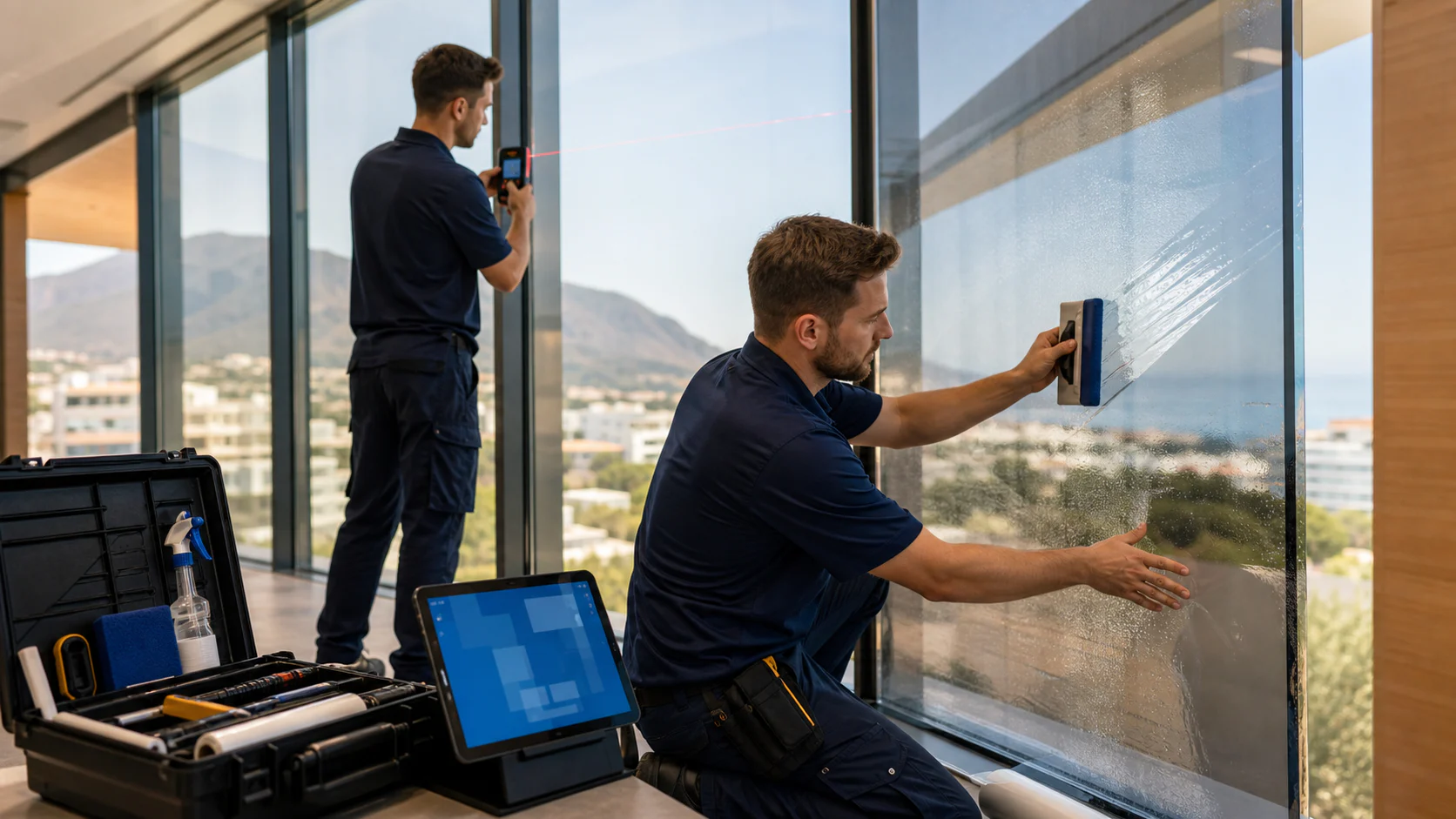
Survey → Quote → JobOne record. One connected path.
Built for your day-to-day work
It understands measuring, quoting and installing window film.
FilmOps is not a generic CRM adapted afterwards. It records each pane, calculates area and waste, uses real products and price lists, and turns the site survey into a quote that is ready to send.
- Measurements, quantities and waste for every pane
- Photos and notes captured during the survey
- Accepted quotes become jobs ready to assign
- Time on site kept separate from travel
Less copying, fewer mistakes
Enter a detail once. FilmOps takes it where it is needed.
Each piece of information prepares the next step. Survey measurements flow into the quote, the accepted quote becomes a work order, and time, materials, documents and expenses return to the same job for final review.
01
SurveyQuote
From measurements to price, without doing the maths twice
Enter dimensions, quantities and product during the survey. They are ready in the quote.
You can always see how area and waste were calculated
02
Accepted quoteWork order
The accepted quote is already ready for the team
Customer, address, measurements, photos and materials move straight into the job.
Nobody rebuilds the job from emails and attachments
03
Installed materialInventory
Know which roll was used, and where
Code, width and linear metres stay linked to the site and update stock.
Real usage does not live in a separate spreadsheet
04
Team appHours and travel
Separate work from travel
Job start, pause and finish connect to the team, attendance and location.
See time on site and travel time clearly
05
Business tripCompany policy
Clear rules for travel and meals
Choose who can record travel and which expenses are allowed, including overnight stays.
Rules follow the person and the actual working day
06
WhatsApp, email, chatbotCustomer and answers
No message stays on its own
WhatsApp, email and chatbot can create or update the customer without losing the conversation.
Each company uses its own approved answers in the right language
Lead generation and sales
The customer writes from your website or WhatsApp. FilmOps organises everything that follows.
FilmOps connects every enquiry channel to the sales team’s daily work. Source, conversation, submitted details and next action remain together, so no opportunity is managed outside the CRM.
01
Forms connected to your website
FilmOps forms can be linked to website pages and landing pages. Fields, copy, priority and routing are configured for survey, quote or contact requests.
Each enquiry arrives with its source, customer details, answers and attachments already organised.
02
WhatsApp messages inside the CRM
When a message arrives, FilmOps checks the number against leads and contacts. Known conversations are linked automatically; for a new number, the operator can create a lead without copying the phone, name and message history.
Conversation history, customer and next activity remain in one place.
03
Email, chatbot and web enquiries
Emails and chatbot conversations enter the communications area with the available context. The company chooses automatic lead creation or a human classification step first.
Automation is configurable: it speeds up work without removing human control.
04
Assigned and followed-up leads
The lead keeps its source, need, estimated value, stage and owner. Sales schedules calls, activities and surveys while seeing everything already communicated to the customer.
Every enquiry has an owner, a sales stage and a visible next action.
Lead generation and sales
From enquiry to work order, without changing systems
The sales process uses the same data later needed by the technical office and the field team.
- 01Capture
Website form, WhatsApp, email, chatbot or manual entry.
- 02Qualify
Need, source, contact, company and priority are checked.
- 03Assign
The lead reaches the right salesperson with a task and due date.
- 04Survey
Measurements, photos, products and site conditions are collected.
- 05Quote
Price lists and measurements produce the document to send and sign.
- 06Convert
The accepted quote becomes a deal and a schedulable work order.
Each company chooses which channels to activate and which steps to automate. The FilmOps team configures connections, forms and rules during onboarding.
Connected operational tools
Signatures, cards and expenses do not sit outside the CRM.
FilmOps also connects administrative steps that normally live in separate portals. The signature stays with the quote, the card with the employee, the receipt with the expense and the expense with the correct job.
OpenAPI · Digital signature
From signed quote to complete deal documents
Prepare the request from the quote, send it to the signers and track pending, completed, rejected or expired requests without losing context.
- Electronic signature with OTP and multiple signers
- Signed PDF, audit trail and certificate
- Documents linked to quote, deal and job
Sales closes the agreement without jumping between portals and folders.
Wallester · Company cards
Reloadable cards assigned to the right people
Synchronise the account, available balance, cards and Wallester transactions. Managers assign each card to the employee who uses it.
- Available balance, account balance and blocked amounts
- Card transactions awaiting a receipt
- Manager-controlled card-to-employee assignment
See who spent, which card was used and what still needs evidence.
Expenses · App and office
From receipt to review, in one flow
The operator photographs the receipt in the app and links the expense to the job. The office reviews, approves or rejects it with the full context.
- Receipts uploaded directly from the app
- Categories, meal policies and excess amounts
- Job link and accounting reconciliation
Expenses no longer arrive at month-end as unexplained photos.
OpenAPI, Wallester and Fatture in Cloud use the customer’s own accounts. Any provider charges remain separate from the FilmOps subscription.
Complete platform
Every feature connected to the same job.
FilmOps goes beyond quoting. It connects communications, people, documents, expenses, materials, invoicing and financial control while keeping every record in the correct tenant.
01 · SalesLeads, communications and quotes
From the first message to signature, sales works in one context.
- Lead source and the operator who made contact
- Multilingual, styled public forms with privacy controls
- WhatsApp, email and delivery history without duplicate leads
- Quote trends, instalment plans and digital signature
02 · OperationsSurveys, jobs and after-sales
Technical data and documents follow the job through completion.
- Web and app surveys with zones, photos, constraints and location
- Direct conversion into quote, deal and work order
- Teams, schedule, site photos, materials and protected location
- After-sales documents, customer delivery and manual or automatic close
03 · PeopleProfiles, attendance and training
Employees manage their data while managers see the complete picture.
- Profile with IDs, IBAN, emergency contact and clothing sizes
- Onboarding with role description, policies and contract PDFs
- Attendance, leave, permits, travel and trips in one view
- Custom courses, 30-day alerts and disciplinary acknowledgements
04 · AdministrationExpenses, cards and reimbursements
Field receipts reach the office with clear rules and ownership.
- Personal, company and corporate-card expenses
- Draft, submit, attach, approve, reject and approved amount
- Wallester pre-authorisations, final amounts, receipts and card disable
- Cumulative lunch and dinner policies by employee, day and tenant
05 · ResourcesDocuments, inventory and storage
Files and materials stay retrievable without burdening daily work.
- OTP signature with PDF, audit trail, hash and receipt
- Employee and company documents with access and expiry
- Multiple open rolls of one material, separated by roll code
- Monthly NAS or cloud originals with a lightweight CRM copy
06 · ControlReports, notifications and security
Management gets reliable figures and support enters only with permission.
- Revenue net of credit notes and work still to invoice
- Excel reports for attendance, travel hours, trips and activities
- Notification centre, push, consistent badges and app-update alerts
- Tenant isolation, dedicated credentials and time-limited audited support
07 · InvoicingSales, purchases and fiscal workflows
Fiscal documents originate in the CRM and remain connected to customers, quotes, suppliers and payments.
- Invoices, credit notes, delivery notes, proformas and self-invoices in separate areas
- Foreign invoices with document extraction, currencies and original archive
- Split payment and reverse charge with fiscal checks and TD16 integration
- Two-way Fatture in Cloud synchronisation during the transition
- Customer star rating calculated from real payment history and visible in customer records
- Due dates, payment status, purchases, and monthly and yearly reports
Tenant confidentiality
Customer data stays under customer control.
The tenant owner decides who can sign in and what each role can see. Authorised users only access the areas required for their work; FilmOps staff do not have unrestricted access to customer data.
01
Denied by default
Platform administration does not provide automatic entry into tenants. Data, documents and activities remain separated and reserved for the authorised organisation.
02
Support only by request
When assistance is needed, FilmOps submits a request stating the reason and duration. A tenant administrator or authorised operator must approve it before access begins.
03
Temporary and revocable permission
Permission lasts only as long as needed, can be revoked by the customer and expires automatically at the agreed time.
04
Every step is recorded
The audit log records who requested access, who approved it, when it started and ended, and the operations performed during support.
The customer remains in control: no silent access, no permanent permission and a verifiable record of every support intervention.
Inside FilmOps
A clear view for every responsibility.
Product previews explain the workflow without exposing real companies, people, logos or amounts.
Sales workflow12 active opportunities
01New
02Qualified
03Quote
04Accepted
People and expiries03
1Operator profileComplete
2Safety courseExpires in 28 days
3Leave requestTo review
Expenses and cards03
LunchTo approve€18.00
FuelJustified€82.40
Personal advanceTo reimburse€34.00
Operations controlLive
Scheduled jobs8
Expiring documents3
To invoice€24.8K
Unread notifications5
All screens are FilmOps reconstructions with demonstration data: no real tenant name, logo or information is shown.
What really changes
The difference shows up in everyday situations.
The difference appears in everyday moments: measuring panes, receiving an accepted quote, assigning two installers or consuming a roll. FilmOps preserves the context and reduces searches, duplication and mistakes.
With a generic CRMFilmOps
Book a demoWhen this happensWith a generic CRMFilmOps
FilmOpsYou measure ten panes at 150 × 220 cm
You save a note or attachment
Area, waste and product price are ready
The customer accepts the quote
You change the opportunity stage
The job already has measurements, photos and materials
Two installers work together
You record one activity
Time and attendance are linked to the whole team
You use a roll on site
You update stock separately
Usage is recorded directly against the job
An important message arrives
It stays outside the customer record
Conversation, customer and next action stay together
From start to finish
Everyone knows what happened and what comes next.
The path is visible from enquiry to qualification, survey, quote, scheduling and review. Each role knows the next action, while management can trace the decisions, time and costs behind every job.
01
Receive the enquiry
From your website, WhatsApp, email or a phone call.
02
Understand the need
Customer, request and next action are immediately clear.
03
Survey the site
Collect measurements, photos, glass and access notes on site.
04
Prepare the quote
Use real measurements and price lists, then send PDF and signature.
05
Plan the installation
Assign the team, date, materials and directions.
06
Review the result
See hours, travel, materials, documents and job margin.
Everyone sees what they need
Simpler for people doing the work. Clearer for people making decisions.
FilmOps adapts menus, data and actions to each role. Sales follows customers and surveys, installers receive only assigned work, and managers oversee sales, operations and company policies.
Follow the customer without losing a detail
Enquiries, appointments, surveys and quotes follow one clear path.
- Dedicated lead view
- Surveys with measurements
- Follow-ups and quotes
Open the app and know what to do
See assigned jobs, directions, photos, documents, attendance and materials.
- Personal schedule
- Photos and documents
- Attendance and trips
See the business without chasing updates
Track sales, jobs, workload, margins and availability in one view.
- Operations dashboard
- Reports and margin
- Policies and permissions
FilmOps App
The team knows what to do. The office knows what is happening.
The app puts measured surveys, assigned jobs, addresses, photos, documents and materials on the phone. From site, the team records progress, GPS attendance, travel, expenses and actual material use in the same CRM.
- Complete surveys
- Start, pause and close jobs
- GPS attendance and place
- Operational notifications
Available onApp StoreAvailable onGoogle Play
For companies and networks
Each company sees its own brand. You stay in control.
Manufacturers, distributors and networks can offer FilmOps under their own brand, domain and configuration. The control plane manages several companies while keeping users, data, documents, credentials and settings isolated.
- Custom name, logo, colours and domain
- Only the features each company needs
- Separate users, data and documents
- Everything configured from one place
NNorthGlassInstallations
DashboardCClarity ProField operations
DashboardSSolarGuardPartner network
DashboardBetter organised conversations
WhatsApp, email and chatbot stop living in separate worlds.
WhatsApp, email, chatbot and website forms feed one working area. Conversations can create or update leads and contacts, while the knowledge base defines approved answers, languages and permitted content.
Consistent answers
Each company chooses what the chatbot can use and in which language.
WhatsApp inside the job
Messages, customers and important requests stay connected.
Numbers you can read
Sales, jobs, hours and materials become useful reports.
Guided onboarding
We do not hand over an empty system. We prepare it around the way you work.
Activation starts with your real processes. We configure roles, modules, documents and channels, import the agreed data and support the team through day-to-day adoption.
- 01
Workflow review
We map how enquiries become completed jobs.
Leads, surveys, quotes, teams, stock, attendance and administration. - 02
Configuration
We prepare FilmOps with your identity, roles and operating rules.
Logo, colours, users, stages, price lists, templates, permissions and languages. - 03
Data and connections
We import the agreed data and connect the services you choose.
Website forms, email, WhatsApp, signatures, cards and other supported providers. - 04
Training and launch
We test the full journey with your team before going live.
Office and field training, final checks and go-live support.
Service credentials remain under the customer’s control. The FilmOps team handles the technical setup and verifies every connection, so users do not have to manage APIs.
Simple pricing
The complete FilmOps platform. Pricing only changes with team size.
Every plan includes the complete product: CRM, surveys, quotes, jobs, mobile app, attendance, inventory and administrative tools. You only choose the team size and whether to pay monthly or prepay the year in one transaction.
All FilmOps featuresFilmOps
Team
€299per month
€2,990 per yearSave €598
For companies with one operational team.
- Up to 10 desktop users
- 5 mobile operator apps
- 2 GB included storage
- Standard support
FilmOps
Business
€499per month
€4,990 per yearSave €998
For companies with several teams and more structured processes.
- Up to 20 desktop users
- 10 mobile operator apps
- 5 GB included storage
- Dedicated domain
- Priority support
FilmOps
Unlimited
€699per month
€6,990 per yearSave €1,398
For companies that do not want limits on their operational users.
- Unlimited desktop users
- Unlimited mobile operator apps
- 10 GB included storage
- Dedicated domain
- Priority support
FilmOps
White-label
Contact us
For manufacturers, distributors and installer networks.
- Control plane included
- Multi-company management
- Custom brand
- Dedicated domain
- Network configuration by agreement
Total cost
Example: a company with 10 desktop users and 5 mobile operatorsOne platform or eight separate tools?
This comparison shows the indicative monthly cost of the software stack required to cover the same operational areas. It does not compare specific brands, so the ranges remain transparent and easy to update.
| Operational area | Separate software / month | With FilmOps Team |
|---|---|---|
| Sales CRM | €140–350 | Included |
| Attendance, leave and HR | €80–180 | Included |
| Jobs, surveys and operator app | €100–250 | Included |
| Quotes, documents and signatures | €40–120 + usage | Included · OpenAPI usage separate |
| Expenses and company cards | €40–120 | Included |
| Inventory and document storage | €40–120 | Included |
| Reports and integrations | €60–180 | Included |
| Electronic invoicing | €15–50 + usage | Included · OpenAPI usage separate |
| Indicative monthly total | €515–1,370 | from €299 |
OpenAPIFor digital signatures and electronic invoicing, the customer activates their own OpenAPI account. The account and documents remain theirs; OpenAPI usage is billed separately and is not marked up in the FilmOps subscription.
Indicative ranges excluding VAT, updated August 2026. Activation, migration, custom work, WhatsApp traffic and provider usage are excluded. The actual cost of separate tools depends on plan, users and purchased modules.Calculate your scenario
What does your current software stack cost?
Set your team size and choose the areas you need. The result compares separate tools with the appropriate FilmOps plan.
Standard activation€500 one-off
We configure FilmOps with the customer and make sure it is ready for everyday work.
- Tenant setup and branding
- Standard users and roles
- Standard initial import
- Supported connections and training
Custom work€65/hour
Non-standard developments, workflows and migrations are always estimated and approved before work begins.
The FilmOps team also supports the activation of connected services. Any usage charges from third-party providers are not included in the subscription. Prices exclude VAT.
Simple questions, clear answers
Before choosing FilmOps.
Find clear answers about setup, roles and branding. For migrations, connected services or a specific workflow, we review how your company works and define the right activation path.
support@filmops.appDo we have to change everything at once?+
No. Start with the most useful features and add the rest gradually, without stopping daily work.
Can we use our own brand?+
Yes. Name, logo, colours, domain, documents and communication can all use your company identity.
Do installers see information they do not need?+
No. Sales, installers, supervisors and managers only see the features and data needed for their role.
Do we have to connect email, WhatsApp and every service straight away?+
No. FilmOps also works on its own. Other services can be connected when your company is ready.
Sales contact
Tell us what you need.
Choose a plan or request type. The FilmOps team will receive it by email and in the sales workflow.
See it on your own work
Want to see how FilmOps would work in your company?
During the demo we use a real job: how you receive enquiries and measurements, prepare the quote and coordinate installation. You can immediately see which steps FilmOps simplifies.